Claude Agent SDK
You can instrument the Python Claude Agent SDK using Logfire.
Note
This is separate from the anthropic integration. The Claude Agent SDK doesn't actually use the anthropic package under the hood.
First, install dependencies:
pip install logfire claude-agent-sdk
Here's an example script:
import asyncio
from typing import Any

from claude_agent_sdk import (
    ClaudeAgentOptions,
    ClaudeSDKClient,
    create_sdk_mcp_server,
    tool,
)

import logfire

logfire.configure()
logfire.instrument_claude_agent_sdk()


# Example of using a tool in the Claude Agent SDK:
@tool(
    'get_weather',
    'Gets the current weather for a given city',
    {
        'city': str,
    },
)
async def get_weather(args: dict[str, Any]) -> dict[str, Any]:
    """Simulated weather lookup tool"""
    city = args['city']
    weather = 'Cloudy, 59°F'
    return {'content': [{'type': 'text', 'text': f'Weather in {city}: {weather}'}]}


async def main():
    weather_server = create_sdk_mcp_server(
        name='weather',
        version='1.0.0',
        tools=[get_weather],
    )

    options = ClaudeAgentOptions(
        system_prompt='You are a friendly travel assistant who helps with weather information.',
        mcp_servers={'weather': weather_server},
        allowed_tools=['mcp__weather__get_weather'],
    )

    async with ClaudeSDKClient(options=options) as client:
        await client.query("What's the weather like in Berlin?")

        async for message in client.receive_response():
            print(message)


asyncio.run(main())
Warning
Only the ClaudeSDKClient is instrumented, not the top-level claude_agent_sdk.query() function. Instances created after calling logfire.instrument_claude_agent_sdk() are fully instrumented. Existing instances will get conversation and turn spans but not tool call spans.
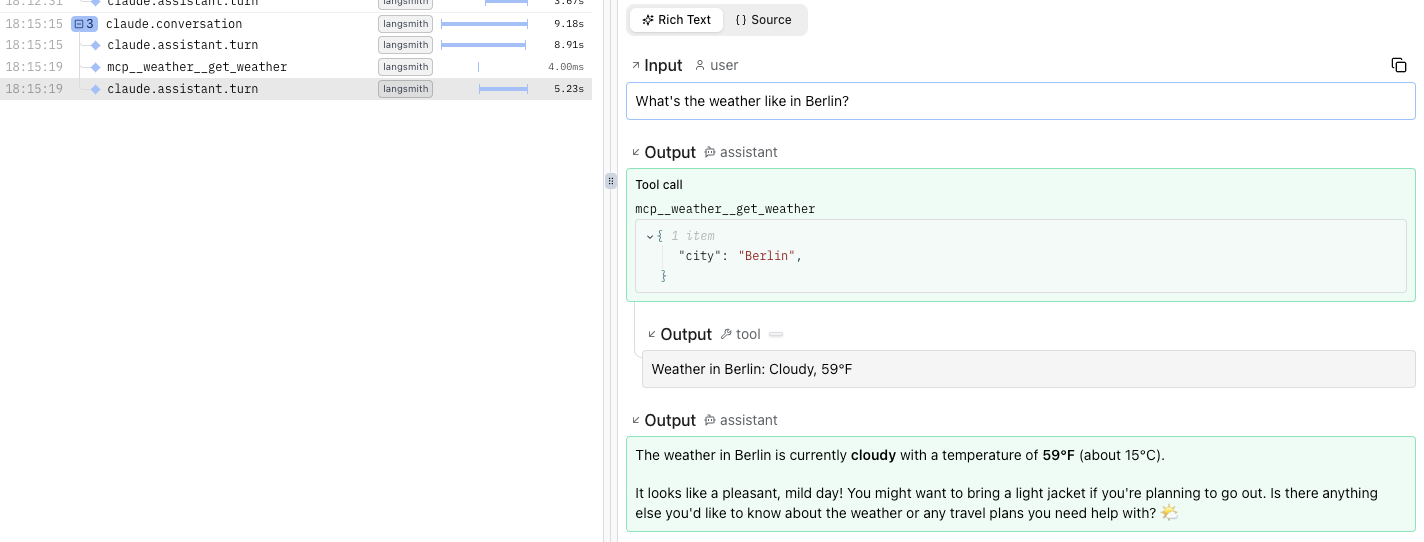
The resulting trace looks like this in Logfire: